MLS rules for renderings, virtual staging and AI photos: what 10 MLSs actually say
What 10 MLSs say about renderings of unbuilt homes, virtual staging and AI photos: where the label goes, when the original is required, and the fines.
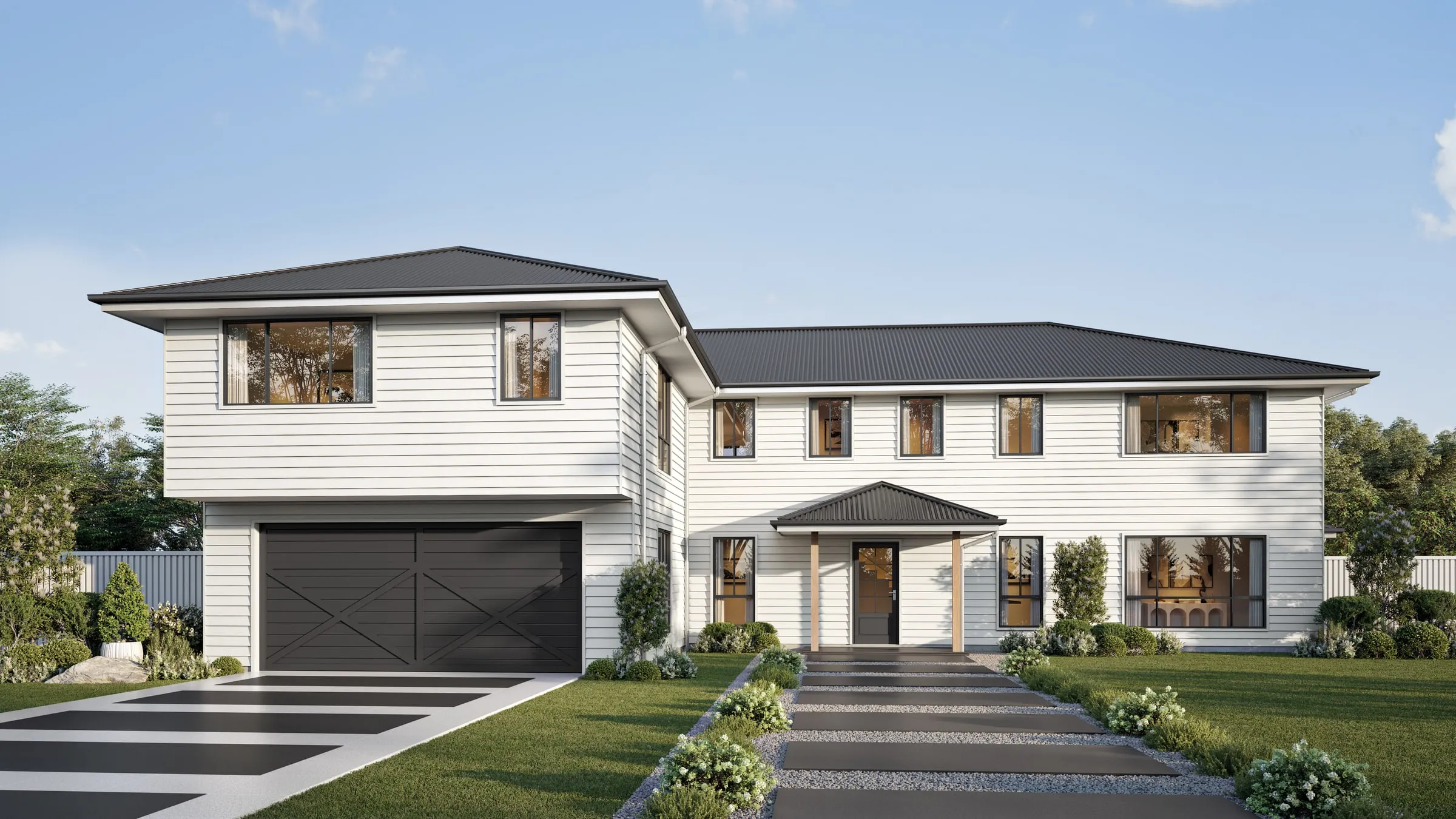
Can you put a rendering of an unbuilt home on an MLS listing? Can you virtually stage a photo, and does the label go on the picture or in the caption? There is no national answer. Each MLS writes its own rule, and at least four of the ten below took effect or changed in 2026. We read each one’s own rules or help pages and set them side by side, so you can see how far they differ before you upload anything.
At a glance
- Renderings: seven of the ten address them, and all seven allow them.
- The label: six want it on the image itself. Four take it in a description field or the remarks.
- The original photo: five require it beside an altered photo, one of them only for altered photos and not for staging.
- Penalties: the figures stated run from $10 at Metro MLS to $250 at CRMLS.
- The same edit: adding a fire to a working fireplace needs no mark in Metro MLS and a watermark in ARMLS.
Ten MLSs side by side
| Rendering of an unbuilt home | Where the label goes | Original photo | Penalty stated | |
|---|---|---|---|---|
| CRMLS California | Rendering: Its altered-image guidance doesn't address them | Label: In the photo description: "digitally altered," "virtually staged" or similar. No watermark needed | Original: Required, right before or right after | Penalty: A warning, then $250 if not corrected in time |
| MLS Now Ohio | Rendering: Allowed as the primary image for new construction (Rule 3.2), labeled "Rendering" on the image | Label: On the image, and repeated in the caption (Rule 3.3.4) | Original: Keep it, and give it to the MLS on request (Rule 3.3.5) | Penalty: No figure in Section 3 |
| Canopy MLS Charlotte area | Rendering: Allowed on "proposed" and "under construction" listings, labeled on the image | Label: On the image or in the tour. A caption or agent remarks alone is "NOT acceptable" | Original: Required for an AI-enhanced or staged photo, immediately before or after | Penalty: No figure on this page |
| Bright MLS Mid-Atlantic | Rendering: For new construction, a rendering of the exterior elevation or the floor plan can meet the exterior photo rule | Label: In the private and public remarks. For to-be-built or under-construction homes, in the remarks or in the photos or videos | Original: Not stated | Penalty: Bright may remove an image that breaks the rules |
| MRED Chicago area | Rendering: Allowed on to-be-built and under-construction listings, disclosed (Section 6.2.3.1) | Label: In "the specified field" | Original: Not stated | Penalty: No figure in Section 6.2 |
| ARMLS Arizona | Rendering: Allowed for a to-be-built home, and it meets the front exterior photo rule. No contact information on it | Label: The MLS's own "Digitally Altered" watermark on the photo | Original: Required, directly before or after | Penalty: $200, after a no-fine period from June to November 2026 |
| Metro MLS Wisconsin | Rendering: The policy doesn't mention them | Label: The Flexmls watermark on the photo, plus "Photos are Digitally Altered" in the public remarks | Original: Required, immediately before. The main listing photo must be an original too | Penalty: $10 if removed for a missing watermark; $10 a day on an altered primary photo until replaced |
| Stellar MLS Florida | Rendering: On an under-construction home, the first photo must be the model offered or an artist rendering. If it differs from the actual model, the remarks must say so | Label: "Virtually staged" in the photo description, the staged field checked, and public remarks that open "One or more photo(s) was virtually staged." | Original: Not stated | Penalty: Photos removed and an automatic Level I fine |
| HiCentral MLS Hawaii | Rendering: Allowed, under its enhanced photo rule (Section 1.19.5) | Label: "Enhanced" in the photo description, which adds a watermark; a line in the public remarks; and the Enhanced Photos field set to Yes | Original: Not stated | Penalty: No figure; a photo that breaks the rules must be replaced |
| SmartMLS Connecticut | Rendering: Its help page doesn't mention them | Label: A stamp or watermark on the photo. The caption doesn't count | Original: Not needed for staging. Required for an altered photo, "as is" first, both stamped | Penalty: No figure on this page |
What they agree on
A home that isn’t built can be shown as a rendering. No MLS on this list that addresses it says otherwise, and some make room for it in their photo rules. Southwest MLS, in the Albuquerque area, goes further: its association’s guide says new or proposed construction doesn’t need a photo at all, and can use a drawing, a rendering or examples of the builder’s homes.
Routine edits aren’t alterations. CRMLS lets through lighting, sharpening, white balance, color correction, angle, straightening, cropping and exposure, as long as they don’t change how the property is represented. Metro MLS and ARMLS say much the same of brightness, contrast, color, cropping and sharpening.
You can’t add or remove what the owner doesn’t control. The examples make the point. MRED bans editing in a view of the Chicago Bean that isn’t possible from the home, Canopy MLS a view of the Charlotte skyline or the football stadium, Stellar MLS an invented view of the gulf. Bright MLS, MRED and Canopy MLS all name removing power lines or water towers. MLS Now bars changing neighboring structures, roads, powerlines or topography.
Where they differ
Where the label goes. This is the split that matters most. CRMLS, Bright MLS, MRED and Stellar MLS accept a label in a field or the remarks, while the other six put it on the picture. SmartMLS gives the reason: text in its caption field “is not included in data feeds to 3rd party/IDX sites”. HiCentral MLS says the same of why it adds a watermark: “Some websites do not display photo comments”. A label in a caption may never reach the buyer looking at the photo on another site.
Virtual staging on an unbuilt home. Bright MLS, MRED and Canopy MLS permit it, disclosed, for every part of the property being sold. Stellar MLS says “Virtual Staging shall not be used for Pre-Construction & Under Construction properties”, though an artist rendering is what it asks for as the first photo of an under-construction home. It appears to separate a rendering of the home from staging laid over a picture of it, so ask before you assume.
The same edit, two answers. Metro MLS and ARMLS both publish a question-and-answer list, and they don’t match.
| Metro MLS | ARMLS | |
|---|---|---|
| Fire in the fireplace | Metro MLS: No mark needed if the fireplace works | ARMLS: Watermark required |
| Decluttered room | Metro MLS: No mark needed | ARMLS: Watermark required |
| Removed yard sign | Metro MLS: No mark needed | ARMLS: No watermark, but blur it by its guideline |
| Changed sky | Metro MLS: No mark needed if the result looks realistic | ARMLS: No watermark; submit it for review if unsure |
Floor plans. Bright MLS accepts a floor plan as a submission of its own, and lets a rendering of one meet the exterior photo rule for new construction. Stellar MLS, for an under-construction home, recommends a floor plan as an attachment and doesn’t permit it as a listing photo.
State law sits on top
California’s AB 723, in force since January 1, 2026, is why CRMLS and other California MLSs wrote these rules, and even they word them differently. Bay East wants the original displayed immediately after the altered image, which it says must be marked “altered,” “digitally altered” or “AI altered”. San Diego MLS wants the original placed next to it. In Wisconsin, Metro MLS points to 2025 Wisconsin Act 69, under which failing to disclose may be a statutory violation from January 1, 2027. Our guide to AI rendering vs 3D rendering sets out the state laws and what the National Association of REALTORS says.
If you are listing a home that isn’t built
Your own MLS’s rule decides. Across these ten, a few habits would hold up almost everywhere:
- Put the label on the image. It meets the strictest rules here and stays with the picture wherever it travels. Ask your studio for a labeled copy and a clean one. Wording varies, so use your MLS’s words.
- Show what the plans will deliver. If the image is a similar home or a different model, say so, as Stellar MLS requires.
- Leave people and contact details out. Bright MLS bars identifiable people and contact information, Stellar MLS bars people and words, and ARMLS and CRMLS have their own branding rules.
- Check before you upload a floor plan as a listing photo.
Our guide to real estate rendering covers how listings use renderings, and our listing package is one exterior and two interior renderings sized for listing sites and print.
How we read these
We read each MLS’s own published rules or help pages, or its association’s guidance, on November 2, 2026. Where a page gives a date, it was: CRMLS updated October 20, 2026; MLS Now rules effective August 3, 2026; Canopy MLS updated February 27, 2026; MRED revised May 14, 2026; ARMLS rule starting May 28, 2026; Metro MLS policy with sanctions from September 1, 2026; Stellar MLS updated September 27, 2026; HiCentral MLS effective January 9, 2023; SmartMLS updated September 8, 2026. Bright MLS’s policy, Appendix C of its rules, shows no date.
“Not stated” means the page we read doesn’t say, not that the MLS has no rule. Many MLSs keep their rules behind a member login, which is why this list isn’t longer. This is a comparison, not legal advice, and rules change, so your MLS and your broker have the final word. If your MLS publishes a rule you’d like added, or one here has changed, tell us and we will read it and update the table.
More data and rule comparisons you can cite are on our research page. Selling a home before it is built? Send us the drawings and a line on where the images will run. You’ll have a fixed price, a written scope and a delivery date by the next business morning.